While updating Kotoba from a hospital bed, I encountered a problem while presenting a UIKit view from SwitfUI on the iPhone Duo – it totally stumped me. It’s one of those things that make sense once you discover the solution, but is unintuitive until then.
The main view in the app is written in SwiftUI and uses a couple of UIViewControllerRepresentable instances as sheets that are presented over the primary user interface. It looked like this:
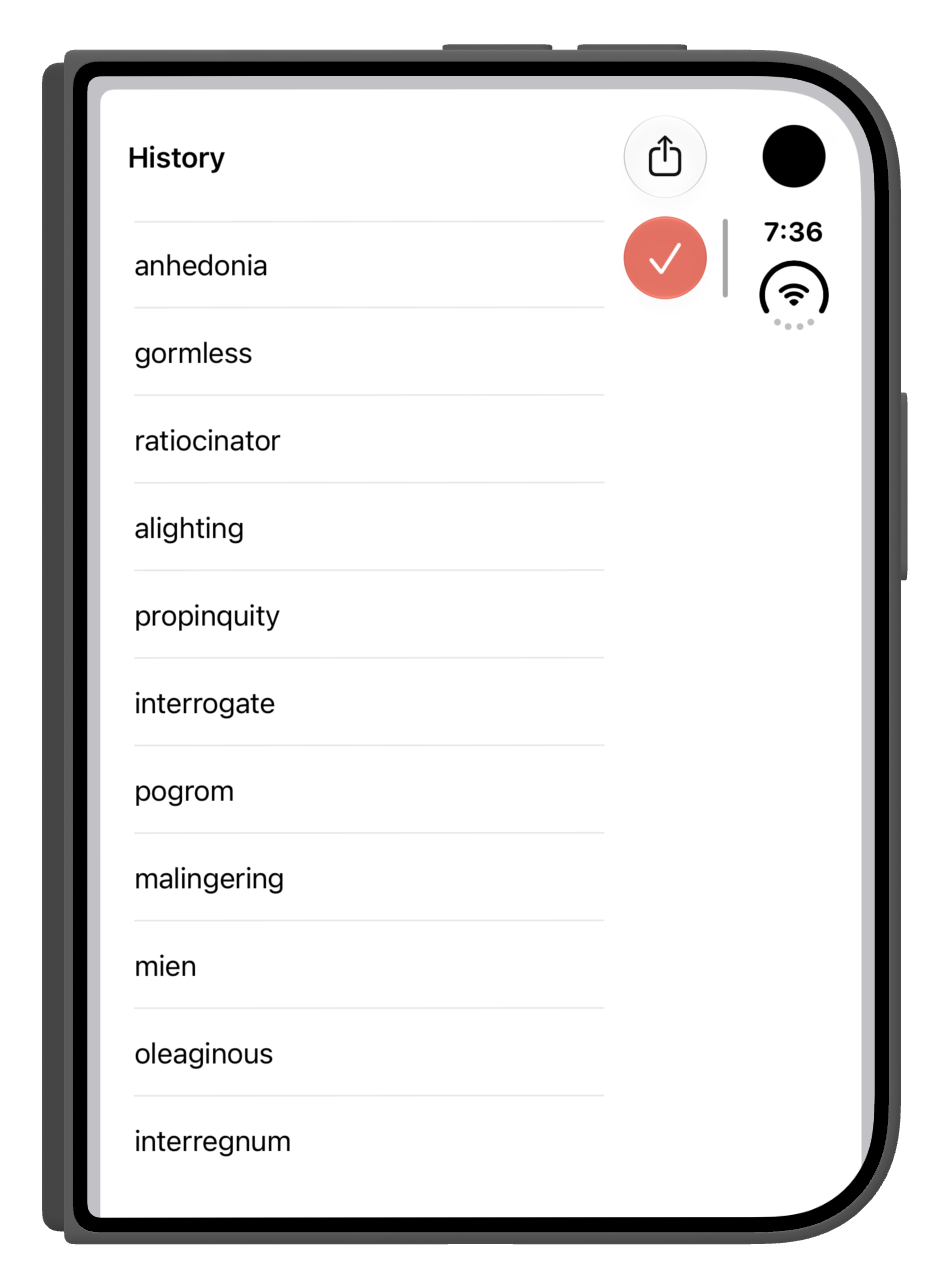
The vertical navigation and scroll indicators were both inset from the trailing safe area. That’s not supposed to happen.
This is a simple table view with a sharing icon in the left bar button item and a Done button in the right item. As basic as it gets in the land of UIKit.
I checked and double-checked the constraints on the views but no changes to the storyboard improved what I saw in the Simulator.
So I started to dig into the view that was presenting the view controller and immediately saw a problem. The table view is used as a UIViewControllerRepresentable from SwiftUI and its hosting view was applying safe area insets when my view controller was presented.
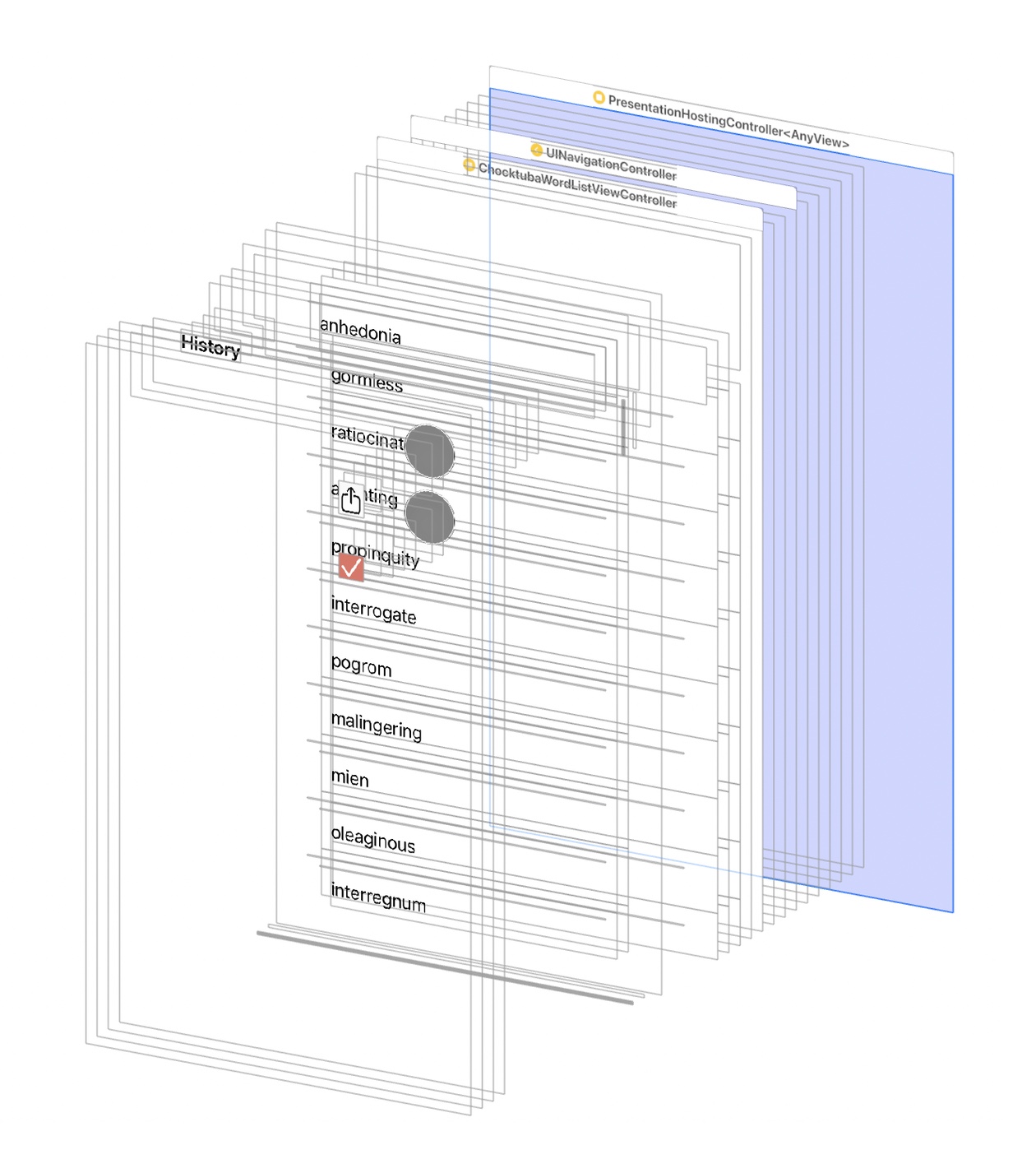
Luckily, the fix was simple: I just removed the safe area insets when the view is presented so they can be handled automatically (or otherwise) in the storyboard or viewDidLoad:
.sheet(isPresented: $showMyTableView) {
    MyTableView()
        .ignoresSafeArea(.all) // storyboard handles safe areas
}
The result is the expected layout:
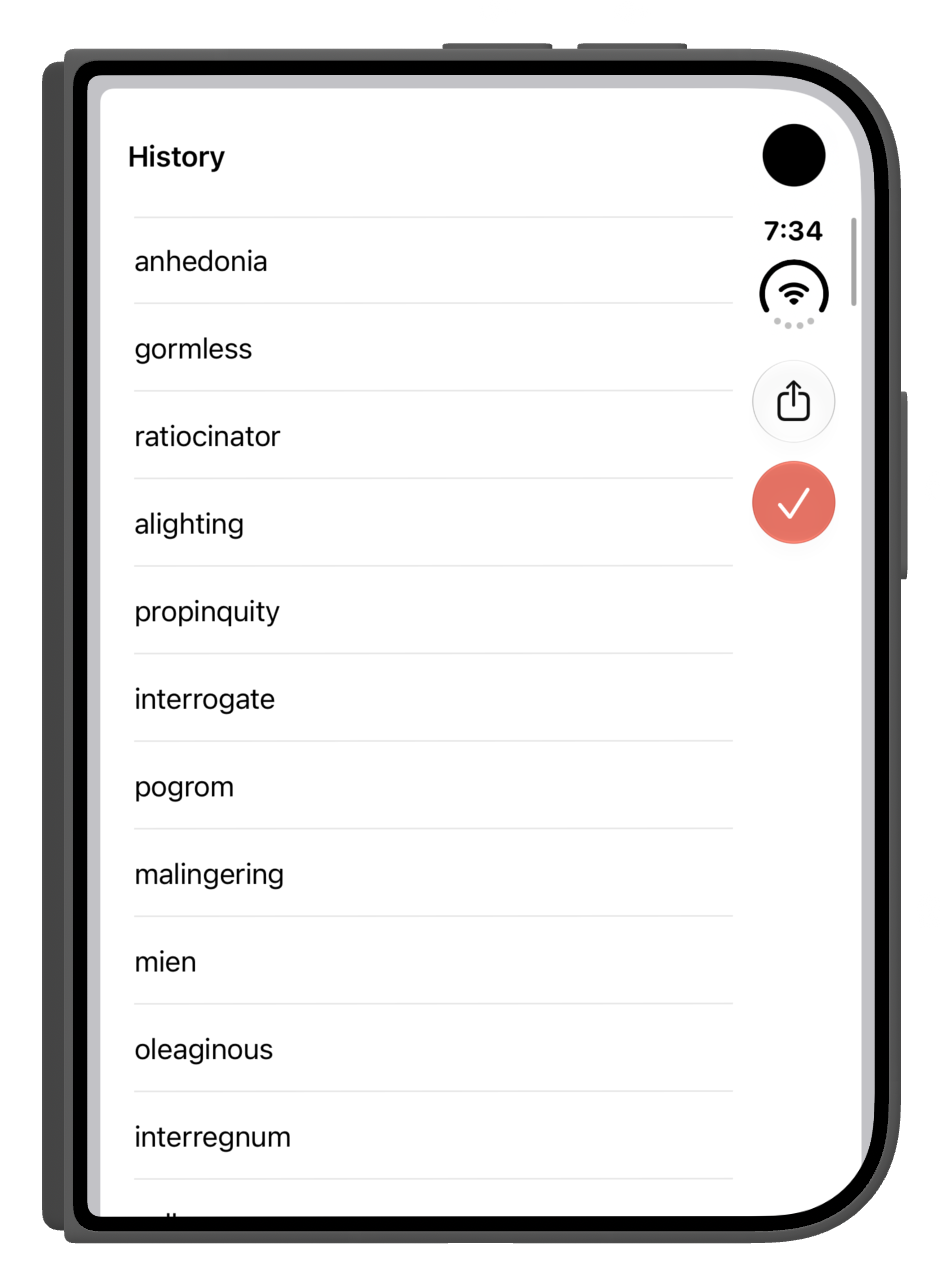
I can see why the safe areas are applied to the hosting view: if you are a presenting a view without a UINavigationController, it just works. If you are presenting a more complex hierarchy from SwiftUI, it takes a little more effort.
And now you know what that effort is!