A few weeks ago, my iPhone started having a serious problem: it could no longer search for things. This bug affected the App Library, Mail, Notes, Messages, Settings, and more. Having a device that couldn’t find things was crippling.
All signs pointed to this being an issue with the Spotlight index on the device: the database was corrupted and unable to do queries or updates.
Of course I searched for clues on how to fix this issue and tried the following things:
- Forced restart
- Changing language and region settings
- Toggling location services for Suggestions & Search
- Reindexing All Items in CoreSpotlight using Developer Mode
- Toggling the App Search settings
- Updating iOS from 26.4.1 to 26.4.2
- Toggling Siri on & off
- Looking at Console output to check
spotlightdfor errors - Soliciting advice from 25,000 followers on Mastodon
None of these things worked.
All of the hints I saw online ended with “if this doesn’t work, just Reset All Settings”. When you go to do that, you’re presented with the following dialog:
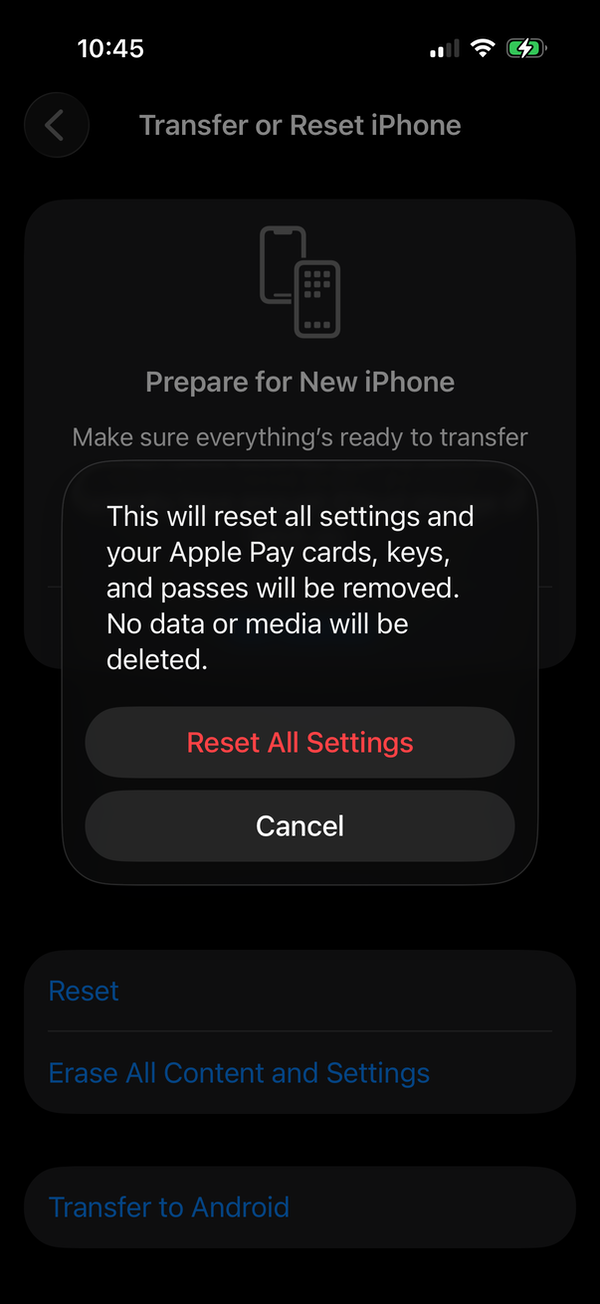
I’ve been adjusting my settings on my phone since 2007 and honestly couldn’t imagine the fallout from resetting them to defaults. All I knew is that this would be incredibly disruptive to my life for several months as I stumbled over things that needed setup.
For example, would a nice evening in a restaurant with dim lighting be interrupted when I triple-clicked the side button to get the Magnifier to read the menu? Being taken out of the moment by tapping around in Settings was not something I wanted to risk.
That left me with one alternative: a full device backup and restore. I did this on my Mac to make it as speedy as possible, but the process still took a couple of hours. During all of which I was without my primary device.
Afterwards, there were immediately problems:
- Apple Pay was reset on both my iPhone and Apple Watch, requiring me to update my drivers license and credit cards.
- TestFlight builds were uninstalled: for a developer this is significant.
- Logins to apps that don’t use the keychain didn’t work.
- The 24 apps using FaceID needed setup again.
- All hints in all apps were reset.
- Some Safari content blockers weren’t working and needed updates.
- All apps prompted for Allow Access on Local Network and other privacy features.
- Apps on the Home Screen that required FaceID to open were reset.
- Unlocking the iPhone with Apple Watch needed setup.
- Developer Mode needed to be re-enabled.
In short, this took several days to sort out. And the entire time, it pissed me off because it was entirely avoidable.
On the Mac, there is a simple procedure to rebuild the Spotlight index. This same affordance is not available on iOS.
It just works, my ass.
Spotlight is a database that’s accessed by a lot of processes in a lot of different situations. It’s reasonable to expect that all this activity can uncover bugs that corrupt the index. The kinds of issues that are hard to reproduce, but easy to repair with a simple button labeled “Rebuild”.
Why doesn’t that button exist on iOS? Maybe it’s a product manager in denial. Maybe it’s because the Spotlight developers are always working on fresh database and don’t ever see the issue (my database had likely existed for months or even years).
Whatever the reason, there are plenty of YouTube videos and Apple Support discussions that show this issue is widespread. My proposal is to add a button to aid customers:
- Put it in the Search category, since folks understand this issue as “search doesn’t work”. Do not bury it somewhere deep in the hierarchy because when you have a corrupt Spotlight index, you can’t search in Settings. It’s got to be easy to find that “Rebuild” button.
- Add some context for anyone who uses it. The Mac support article mentions that “This can take some time, depending on the amount of information being indexed”.
- Show some kind of progress indicator as the index rebuilds, as the Mac does.
Until this happens, Spotlight just isn’t right.
Apple folks: FB22651086